
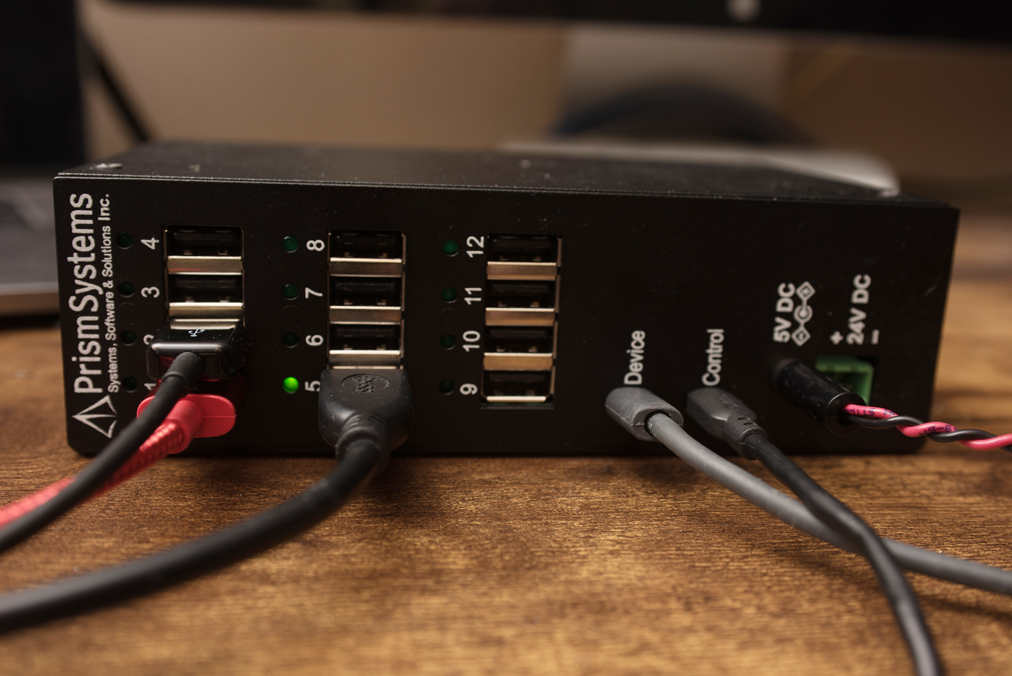
1x12 USB Multiplexer
1X12 USB MULTIPLEXER |
Overview
Prism Systems 1x12 USB Multiplexer allows connection of up to twelve USB devices, with independent control of device selection. This allows a single USB host to selectively connect to one of up to twelve devices, using the dedicated USB control channel.
Unlike a USB hub, only one device channel is active at any time. Once a channel is selected, the USB host is connected to the USB device on the active channel. The USB Multiplexer is a transparent passthrough; neither the host nor the device will be affected by multiplexer. Additionally, USB data signal conditioning components are included to ensure signal integrity, even with longer USB cables. This also provides significant reduction in sensitivity to EMI, often present in industrial control enclosures.
Features
Two dedicated USB bus connectors for USB host.
Device Passthrough / Data Channel.
Control Channel (USB Virtual COM Port).
Twelve individually selectable USB channels for USB device connection.
Dedicated LED indication for active channel.
Powered by either 5VDC barrel connector or 24VDC 2-pin Phoenix-style terminal connector.
Rugged steel enclosure, suitable for industrial environments.
Optional DIN rail mount.
Functional Details
All device operation and interaction may be performed without opening control enclosure, saving significant time and effort when dealing with high voltage enclosures with stringent safety requirements.
Control Interface
Connecting the USB Control interface to a USB host will present a USB Virtual COM Port. This approach is compatible with all modern versions of Microsoft Windows, Linux and OSC operating systems, and no additional hardware drivers are required.
After connecting the USB Multiplexer Control interface to the host and identifying the communication port interface name (e.g COM5, Windows), connect to the USB Multiplexer using any available serial port terminal application, including PuTTY, Tera Term, screen, etc.
The text-based user interface is straightforward, and examples of using the interface are shown in the sections below.
Connecting to the USB Multiplexer Control Interface
Upon connecting to the Control Interface using a serial terminal application, initial information is presented, including firmware version and currently active channel.

Selecting the Active Channel
The active channel may be selected by typing the channel number of previously configured channel name.

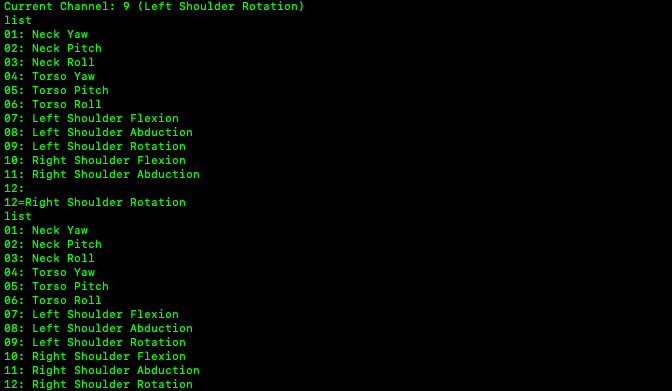
Viewing and Changing Channel Names
The terminal interface provides the ability to list and maintain the list of channel names.
Syntax Help



